
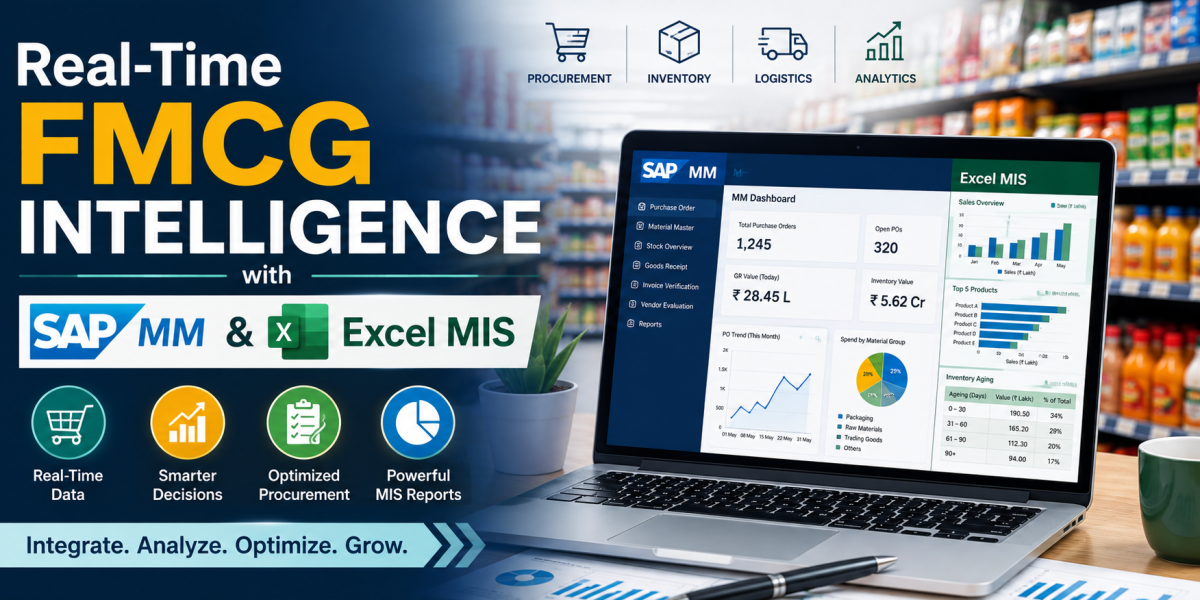
In FMCG distribution, a large number of stock and purchase activities take place during a normal working day. Materials are received, invoices are checked, and goods move through different locations. When information about these activities reaches the team late, it becomes difficult to understand the actual stock position. In some cases, this may also affect delivery planning and daily reporting. Excel MIS reports are commonly prepared to keep such information in one place. They are easy to use, but much of the work still depends on collecting and updating data manually. When SAP MM data is combined with Excel MIS reports, detailed transactions can be converted into clear information for managers. This article explains how SAP MM and Excel MIS together improve FMCG distribution decisions through purchase order tracking, GRN monitoring, stock analysis, and exception reporting which is taught at some of the best MBA colleges in Nashik. SAP MM provides reliable operational data, while Excel MIS presents it in a simple format for faster action.
1. Introduction: Moving Beyond the Spreadsheet
a) Need for Faster Distribution Decisions
The FMCG industry works at a fast pace. SAP MM records the day-to-day material activities of the business, including purchase details, receipt of goods, available stock, and movement of materials between locations.
A spreadsheet can show stock, pending orders, invoice details, and delivery status. However, manual copying from different sources may create delays, missing entries, or typing mistakes. This creates a gap between actual warehouse activity and the MIS report.
b) Why SAP MM and Excel MIS Work Together
SAP MM stores material-related transactions in a structured system. Purchase orders, goods receipts, stock details, and material movements are recorded for operational use. Excel MIS can organise, compare, summarise, and present this data.
SAP MM acts as the main source of transaction data, while Excel MIS works as a reporting and analysis tool. Together, they make the current distribution position easier to understand.
2. SAP MM as the Operational Data Source
a) Purchase Order Tracking
Purchase orders are important in material planning and receipt processing. Before receiving goods, teams need to check the purchase order, material, quantity, plant, and document details.
SAP MM helps users review this information before processing. In FMCG operations, a small error in material code or quantity can affect stock records and later reports.
Excel MIS can use purchase order data to show completed, partially received, and pending orders. Managers can then identify delays and follow up quickly.
b) Goods Receipt and GRN Monitoring
A GRN is prepared after receiving the goods, so the system can show the correct received quantity and stock position. Correct GRN processing is important because it affects stock information.
In high-volume operations, duplicate GRNs, incorrect quantities, or wrong document references can create stock differences. An Excel MIS tracker prepared from SAP data can show completed GRNs, pending receipts, invoice-wise status, and quantity differences.
c) Stock and Material Movement
Stock may be received, transferred, consumed, or moved between locations. SAP MM records these movements and creates a transaction history.
This data helps answer important questions: Where is the stock? How much quantity is available? Which material moved today? Which item is running low? Are there unusual movements?
Excel MIS can summarise SAP data by plant, material, location, or product category. This makes stock information easier to review.
3. Excel MIS as a Decision-Support Tool
a) Making Raw Data Easy to Understand
SAP can contain thousands of transaction records. Managers may not need to read every line. They need a clear summary showing the current position and major issues.
Excel converts raw SAP data into useful tables and reports. Stock can be grouped by plant or material. Purchase orders can be divided into completed and pending categories. GRN details can be matched with invoice information.
This process turns transaction data into information that supports business decisions.
b) Using Excel Functions in Daily MIS
Common Excel functions improve the speed and accuracy of reporting. VLOOKUP and XLOOKUP can match purchase orders, invoices, material codes, or plant details. SUMIFS can calculate totals based on conditions. IF and IFERROR can identify exceptions and control formula errors. Pivot Tables can summarise large data quickly. Conditional Formatting can highlight pending items, low stock, or quantity differences.
c) Exception-Based Reporting
A good MIS report should clearly highlight problems. An exception report may show pending purchase order receipts, invoices without completed GRN, quantity differences, low-stock materials, duplicate document references, or unusual material movements.
4. Supporting Real-Time FMCG Decisions
a) Stock Availability Decisions
One major distribution decision is whether enough stock is available to meet demand. SAP provides system stock data. Excel MIS can compare stock with pending orders, recent movements, or planned dispatches.
For example, if the quantity of a fast-moving product is falling while pending demand is high, the MIS report can highlight the material. The manager can then plan replenishment, stock transfer, or priority allocation.
b) Faster Coordination Between Teams
FMCG distribution involves purchasing, warehouse, finance, sales, and logistics teams. Each team may need different information from the same transaction.
The warehouse team may need pending GRN details. Finance may need invoice and receipt status. Managers may need stock and exception summaries. Distribution teams may need material availability.
SAP MM provides a common transaction record, while Excel MIS presents selected information in a simple format. This reduces confusion and supports better coordination.
c) Reporting at Different Time Intervals
In fast-moving operations, one end-of-day report may not be enough. A morning report may show opening stock and pending work. An afternoon report may show transaction progress. An evening report may show completed work and remaining exceptions.
When SAP data is refreshed and Excel MIS is updated regularly, managers can see how the operation changes during the day. Even without a fully automated dashboard, regular updates can improve decision speed.
5. Improving Accuracy and Control
a) Reducing Manual Errors
Manual data entry is a major risk in spreadsheet reporting. Incorrect purchase order numbers, material codes, invoice numbers, or quantities can affect the final report.
Using SAP exports as the base data reduces repeated manual typing. Standard Excel formats, duplicate checks, lookup formulas, and reconciliation with SAP totals can make MIS reports more reliable.
b) Standard Reporting Format
When employees prepare reports in different formats, comparison becomes difficult. A common MIS template can include report date, plant, purchase order number, invoice number, material code, expected quantity, received quantity, GRN status, stock status, and remarks.
6. Challenges in SAP MM and Excel MIS Integration
a) Timely Data Updates
Excel MIS is useful only when source data is current. If SAP transactions are pending or the report is not refreshed, the MIS may show an old position. Timely transaction posting and regular report updates are therefore important.
b) Large Data Volumes
FMCG companies can generate large amounts of transaction data. When a large amount of data is handled in Excel, the file may respond slowly and become harder to use. Keeping only relevant columns, checking repeated entries, and arranging the data properly can make the report easier to manage.
c) Business Process Knowledge
For example, GRN reporting becomes more meaningful when the user understands the connection between purchase orders, invoices, goods receipts, and stock updates. The combination of system knowledge and process understanding improves MIS quality.
7. Future Scope: Smarter Distribution Reporting
The future of FMCG reporting will include more automation and visual dashboards. SAP data can be connected with reporting tools and automated refresh processes. Excel can also be improved through Power Query and Power Pivot.
Historical SAP data can help teams identify stock movement patterns, frequently delayed materials, repeated GRN issues, and supplier performance. MIS reporting can then move from showing “what happened” to highlighting “what may need attention next.”
Conclusion
Integrating SAP MM with Excel MIS helps FMCG distribution teams make faster and more practical decisions. SAP MM provides structured information about purchase orders, goods receipts, stock, and material movements. Excel MIS converts this data into clear summaries and exception reports.
The main advantage is better visibility. Managers holding MBA from some of the top management colleges in Maharashtra can identify pending GRNs, stock shortages, quantity differences, and unusual transactions more quickly. Teams can also coordinate better because the report is based on a common system source.
Excel alone may depend too much on manual data entry, while SAP data alone may be too detailed for quick managerial review. Combining SAP MM with Excel MIS can improve reporting accuracy, reduce delays, strengthen control, and support real-time distribution decisions.
Moving beyond the spreadsheet does not mean removing Excel. It means using Excel with a stronger operational data source. This combination creates a simple and effective decision-support process for modern FMCG distribution.